Note: This functionality is only available to entities that request it. If you want to have this option, please contact us ([email protected])
This new functionality allows you to filter and know how many projects and initiatives have gone to foundations and other Non-Profit Organisations and how many monetary contributions have been donated to these entities, in order to comply with law 11/2018 (Spanish Law).
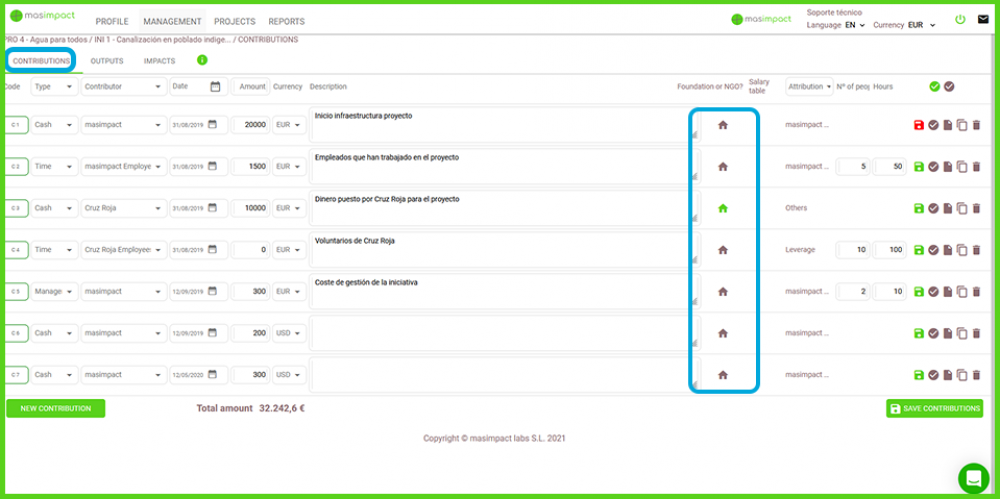
To streamline this data capture, a new column has been created in contributions where you can select whether the contribution is directed to a foundation or another non-profit organisation.
Automatically when you select a contribution in Money, this column appears with the symbol of a house. By default it will be set to "No", the symbol (the little house) will be greyed out. If this contribution is addressed to these entities, you can click on the little house to set it to "Yes", in green. When you move the mouse over it, an explanation of the meaning of this symbol (the little house) will appear.
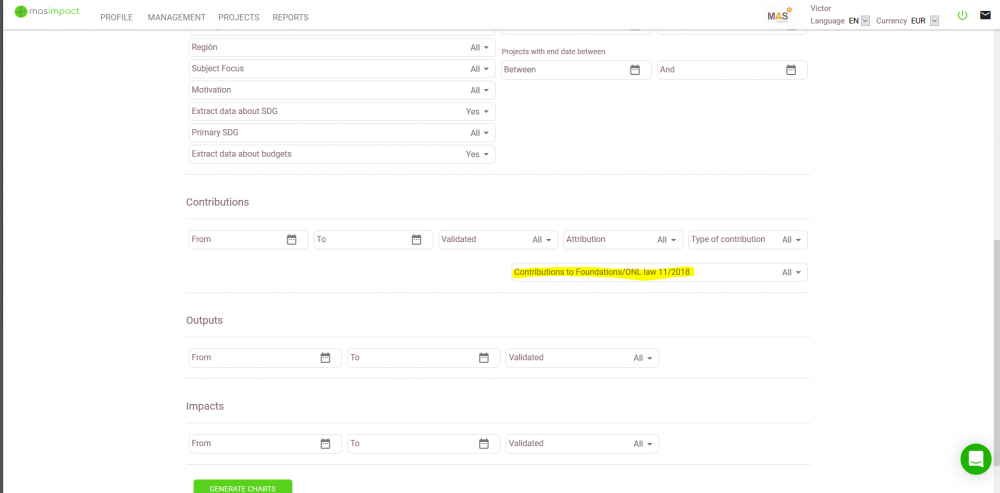
In the reports screen, there is a new filter located in the contributions section, where you can see, if you want, the information of: only the contributions to Foundations and NPOs, all or without these contributions, in all the screen reports on contributions.
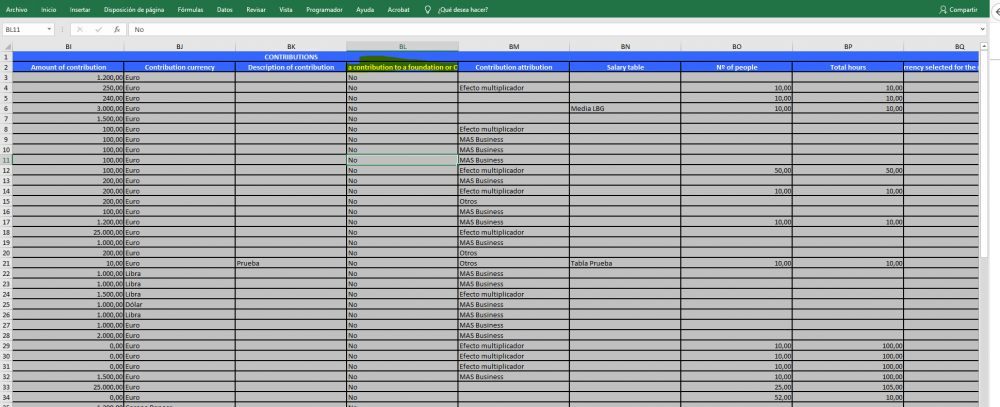
In the Excel report, there is a field located in the contributions section, which shows whether or not the contribution is destined to a foundation or other NPO. You can filter by this field or create pivot tables with this indicator.